
You cannot stop a malicious extension or rein in shadow IT until you know what is installed, and most companies have no reliable list. There is no single button for it. In practice you stitch it together from tools you already have: your MDM, a script pushed everywhere, and the browsers' own admin consoles. Here are the three routes that scale.
Option 1: ask your MDM
Start with what already reaches your managed fleet. Intune, Jamf, Kandji, and Workspace ONE report on installed software, and some list browser extensions directly. Where they do not, you push a small script (a Jamf extension attribute, an Intune remediation) that reads the extensions and reports back.
Most MDMs report installed apps, not browser extensions, so on their own they give you almost nothing here. That is why the next two options do the real work.
Option 2: push a script to every machine
Every installed extension leaves a folder on disk named with its ID. Inside is a manifest.json with the name, version, and permissions. A script run through your MDM or RMM can read those folders on every machine and roll the results up.
Windows · PowerShell
# List every browser extension installed on a Windows machine.
# Output (CSV): Browser,Profile,ExtensionId,Version
# Deploy via Intune, your RMM, or a login script, then collect the output centrally.

# CSV header.
"Browser,Profile,ExtensionId,Version"

# --- Chromium browsers (Chrome, Edge, Brave): one folder per extension ID ---
$browsers = @{
  Chrome = "$env:LOCALAPPDATA\Google\Chrome\User Data"
  Edge   = "$env:LOCALAPPDATA\Microsoft\Edge\User Data"
  Brave  = "$env:LOCALAPPDATA\BraveSoftware\Brave-Browser\User Data"
}

foreach ($browser in $browsers.Keys) {
  $root = $browsers[$browser]
  # Skip a browser that is not installed.
  if (-not (Test-Path $root)) { continue }

  # Each browser has one or more profiles: "Default", "Profile 1", ...
  foreach ($prof in Get-ChildItem $root -Directory |
           Where-Object { $_.Name -eq 'Default' -or $_.Name -like 'Profile *' }) {

    $extRoot = Join-Path $prof.FullName 'Extensions'
    if (-not (Test-Path $extRoot)) { continue }

    # Every folder under \Extensions is named with the 32-char extension ID.
    foreach ($ext in Get-ChildItem $extRoot -Directory) {
      # The newest version sub-folder is the one currently installed.
      # Version folders look like "1.2.3_0"; sort numerically so 10.x beats 9.x.
      $version = (Get-ChildItem $ext.FullName -Directory |
                  Sort-Object { [version]($_.Name -replace '_.*$', '') } -Descending |
                  Select-Object -First 1).Name
      "$browser,$($prof.Name),$($ext.Name),$version"
    }
  }
}

# --- Firefox: metadata lives in extensions.json, not per-ID folders ---
# Note: Firefox profiles are under %APPDATA% (Roaming), not %LOCALAPPDATA%.
$firefoxRoot = "$env:APPDATA\Mozilla\Firefox\Profiles"
if (Test-Path $firefoxRoot) {
  foreach ($prof in Get-ChildItem $firefoxRoot -Directory) {
    $manifest = Join-Path $prof.FullName 'extensions.json'
    if (-not (Test-Path $manifest)) { continue }

    $data = Get-Content $manifest -Raw | ConvertFrom-Json
    foreach ($addon in $data.addons) {
      # User-installed extensions only: skip themes, languages, and system add-ons.
      if ($addon.type -ne 'extension' -or $addon.location -ne 'app-profile') { continue }
      "Firefox,$($prof.Name),$($addon.id),$($addon.version)"
# List every browser extension installed on a Windows machine.
# Output (CSV): Browser,Profile,ExtensionId,Version
# Deploy via Intune, your RMM, or a login script, then collect the output centrally.

# CSV header.
"Browser,Profile,ExtensionId,Version"

# --- Chromium browsers (Chrome, Edge, Brave): one folder per extension ID ---
$browsers = @{
  Chrome = "$env:LOCALAPPDATA\Google\Chrome\User Data"
  Edge   = "$env:LOCALAPPDATA\Microsoft\Edge\User Data"
  Brave  = "$env:LOCALAPPDATA\BraveSoftware\Brave-Browser\User Data"
}

foreach ($browser in $browsers.Keys) {
  $root = $browsers[$browser]
  # Skip a browser that is not installed.
  if (-not (Test-Path $root)) { continue }

  # Each browser has one or more profiles: "Default", "Profile 1", ...
  foreach ($prof in Get-ChildItem $root -Directory |
           Where-Object { $_.Name -eq 'Default' -or $_.Name -like 'Profile *' }) {

    $extRoot = Join-Path $prof.FullName 'Extensions'
    if (-not (Test-Path $extRoot)) { continue }

    # Every folder under \Extensions is named with the 32-char extension ID.
    foreach ($ext in Get-ChildItem $extRoot -Directory) {
      # The newest version sub-folder is the one currently installed.
      # Version folders look like "1.2.3_0"; sort numerically so 10.x beats 9.x.
      $version = (Get-ChildItem $ext.FullName -Directory |
                  Sort-Object { [version]($_.Name -replace '_.*$', '') } -Descending |
                  Select-Object -First 1).Name
      "$browser,$($prof.Name),$($ext.Name),$version"
    }
  }
}

# --- Firefox: metadata lives in extensions.json, not per-ID folders ---
# Note: Firefox profiles are under %APPDATA% (Roaming), not %LOCALAPPDATA%.
$firefoxRoot = "$env:APPDATA\Mozilla\Firefox\Profiles"
if (Test-Path $firefoxRoot) {
  foreach ($prof in Get-ChildItem $firefoxRoot -Directory) {
    $manifest = Join-Path $prof.FullName 'extensions.json'
    if (-not (Test-Path $manifest)) { continue }

    $data = Get-Content $manifest -Raw | ConvertFrom-Json
    foreach ($addon in $data.addons) {
      # User-installed extensions only: skip themes, languages, and system add-ons.
      if ($addon.type -ne 'extension' -or $addon.location -ne 'app-profile') { continue }
      "Firefox,$($prof.Name),$($addon.id),$($addon.version)"
# List every browser extension installed on a Windows machine.
# Output (CSV): Browser,Profile,ExtensionId,Version
# Deploy via Intune, your RMM, or a login script, then collect the output centrally.

# CSV header.
"Browser,Profile,ExtensionId,Version"

# --- Chromium browsers (Chrome, Edge, Brave): one folder per extension ID ---
$browsers = @{
  Chrome = "$env:LOCALAPPDATA\Google\Chrome\User Data"
  Edge   = "$env:LOCALAPPDATA\Microsoft\Edge\User Data"
  Brave  = "$env:LOCALAPPDATA\BraveSoftware\Brave-Browser\User Data"
}

foreach ($browser in $browsers.Keys) {
  $root = $browsers[$browser]
  # Skip a browser that is not installed.
  if (-not (Test-Path $root)) { continue }

  # Each browser has one or more profiles: "Default", "Profile 1", ...
  foreach ($prof in Get-ChildItem $root -Directory |
           Where-Object { $_.Name -eq 'Default' -or $_.Name -like 'Profile *' }) {

    $extRoot = Join-Path $prof.FullName 'Extensions'
    if (-not (Test-Path $extRoot)) { continue }

    # Every folder under \Extensions is named with the 32-char extension ID.
    foreach ($ext in Get-ChildItem $extRoot -Directory) {
      # The newest version sub-folder is the one currently installed.
      # Version folders look like "1.2.3_0"; sort numerically so 10.x beats 9.x.
      $version = (Get-ChildItem $ext.FullName -Directory |
                  Sort-Object { [version]($_.Name -replace '_.*$', '') } -Descending |
                  Select-Object -First 1).Name
      "$browser,$($prof.Name),$($ext.Name),$version"
    }
  }
}

# --- Firefox: metadata lives in extensions.json, not per-ID folders ---
# Note: Firefox profiles are under %APPDATA% (Roaming), not %LOCALAPPDATA%.
$firefoxRoot = "$env:APPDATA\Mozilla\Firefox\Profiles"
if (Test-Path $firefoxRoot) {
  foreach ($prof in Get-ChildItem $firefoxRoot -Directory) {
    $manifest = Join-Path $prof.FullName 'extensions.json'
    if (-not (Test-Path $manifest)) { continue }

    $data = Get-Content $manifest -Raw | ConvertFrom-Json
    foreach ($addon in $data.addons) {
      # User-installed extensions only: skip themes, languages, and system add-ons.
      if ($addon.type -ne 'extension' -or $addon.location -ne 'app-profile') { continue }
      "Firefox,$($prof.Name),$($addon.id),$($addon.version)"
# List every browser extension installed on a Windows machine.
# Output (CSV): Browser,Profile,ExtensionId,Version
# Deploy via Intune, your RMM, or a login script, then collect the output centrally.

# CSV header.
"Browser,Profile,ExtensionId,Version"

# --- Chromium browsers (Chrome, Edge, Brave): one folder per extension ID ---
$browsers = @{
  Chrome = "$env:LOCALAPPDATA\Google\Chrome\User Data"
  Edge   = "$env:LOCALAPPDATA\Microsoft\Edge\User Data"
  Brave  = "$env:LOCALAPPDATA\BraveSoftware\Brave-Browser\User Data"
}

foreach ($browser in $browsers.Keys) {
  $root = $browsers[$browser]
  # Skip a browser that is not installed.
  if (-not (Test-Path $root)) { continue }

  # Each browser has one or more profiles: "Default", "Profile 1", ...
  foreach ($prof in Get-ChildItem $root -Directory |
           Where-Object { $_.Name -eq 'Default' -or $_.Name -like 'Profile *' }) {

    $extRoot = Join-Path $prof.FullName 'Extensions'
    if (-not (Test-Path $extRoot)) { continue }

    # Every folder under \Extensions is named with the 32-char extension ID.
    foreach ($ext in Get-ChildItem $extRoot -Directory) {
      # The newest version sub-folder is the one currently installed.
      # Version folders look like "1.2.3_0"; sort numerically so 10.x beats 9.x.
      $version = (Get-ChildItem $ext.FullName -Directory |
                  Sort-Object { [version]($_.Name -replace '_.*$', '') } -Descending |
                  Select-Object -First 1).Name
      "$browser,$($prof.Name),$($ext.Name),$version"
    }
  }
}

# --- Firefox: metadata lives in extensions.json, not per-ID folders ---
# Note: Firefox profiles are under %APPDATA% (Roaming), not %LOCALAPPDATA%.
$firefoxRoot = "$env:APPDATA\Mozilla\Firefox\Profiles"
if (Test-Path $firefoxRoot) {
  foreach ($prof in Get-ChildItem $firefoxRoot -Directory) {
    $manifest = Join-Path $prof.FullName 'extensions.json'
    if (-not (Test-Path $manifest)) { continue }

    $data = Get-Content $manifest -Raw | ConvertFrom-Json
    foreach ($addon in $data.addons) {
      # User-installed extensions only: skip themes, languages, and system add-ons.
      if ($addon.type -ne 'extension' -or $addon.location -ne 'app-profile') { continue }
      "Firefox,$($prof.Name),$($addon.id),$($addon.version)"
macOS and Linux · bash
#!/usr/bin/env bash
# List every browser extension installed for the current user.
# Output (CSV): browser,profile,extension_id,version
# Deploy via Jamf, your MDM/RMM, or a login agent, then collect the output centrally.

echo "browser,profile,extension_id,version"

# --- Chromium browsers (Chrome, Edge, Brave): one folder per extension ID ---
# $1 = browser label, $2 = the browser's profiles root
scan() {
  [ -d "$2" ] || return                         # skip if not installed
  # Profiles are the "Default" and "Profile N" folders.
  find "$2" -maxdepth 1 -type d \( -name Default -o -name "Profile *" \) 2>/dev/null |
  while IFS= read -r profile; do
    ext="$profile/Extensions"
    [ -d "$ext" ] || continue
    # Each folder under Extensions is named with the extension ID.
    for id_dir in "$ext"/*/; do
      [ -d "$id_dir" ] || continue
      id=$(basename "$id_dir")
      # Newest version sub-folder is the installed one.
      version=$(ls -1 "$id_dir" | sort -V | tail -n 1)
      echo "$1,$(basename "$profile"),$id,$version"
    done
  done
}

# --- Firefox: metadata lives in extensions.json, not per-ID folders ---
# Needs python3 (present on macOS with Command Line Tools, and most Linux).
# $1 = the Firefox profiles root
scan_firefox() {
  [ -d "$1" ] || return
  for profile in "$1"/*/; do
    manifest="${profile}extensions.json"
    [ -f "$manifest" ] || continue
    python3 - "$manifest" "$(basename "$profile")" <<'PY'
import json, sys
manifest, profile = sys.argv[1], sys.argv[2]
with open(manifest, encoding="utf-8") as f:
    data = json.load(f)
for a in data.get("addons", []):
    # User-installed extensions only: skip themes, languages, system add-ons.
    if a.get("type") == "extension" and a.get("location") == "app-profile":
        print("Firefox,%s,%s,%s" % (profile, a.get("id", ""), a.get("version", "")))
PY
  done
}

# macOS paths shown; on Linux use ~/.config/google-chrome, ~/.mozilla/firefox, etc.
base="$HOME/Library/Application Support"
scan Chrome "$base/Google/Chrome"
scan Edge   "$base/Microsoft Edge"
scan Brave  "$base/BraveSoftware/Brave-Browser"
scan_firefox "$base/Firefox/Profiles"
#!/usr/bin/env bash
# List every browser extension installed for the current user.
# Output (CSV): browser,profile,extension_id,version
# Deploy via Jamf, your MDM/RMM, or a login agent, then collect the output centrally.

echo "browser,profile,extension_id,version"

# --- Chromium browsers (Chrome, Edge, Brave): one folder per extension ID ---
# $1 = browser label, $2 = the browser's profiles root
scan() {
  [ -d "$2" ] || return                         # skip if not installed
  # Profiles are the "Default" and "Profile N" folders.
  find "$2" -maxdepth 1 -type d \( -name Default -o -name "Profile *" \) 2>/dev/null |
  while IFS= read -r profile; do
    ext="$profile/Extensions"
    [ -d "$ext" ] || continue
    # Each folder under Extensions is named with the extension ID.
    for id_dir in "$ext"/*/; do
      [ -d "$id_dir" ] || continue
      id=$(basename "$id_dir")
      # Newest version sub-folder is the installed one.
      version=$(ls -1 "$id_dir" | sort -V | tail -n 1)
      echo "$1,$(basename "$profile"),$id,$version"
    done
  done
}

# --- Firefox: metadata lives in extensions.json, not per-ID folders ---
# Needs python3 (present on macOS with Command Line Tools, and most Linux).
# $1 = the Firefox profiles root
scan_firefox() {
  [ -d "$1" ] || return
  for profile in "$1"/*/; do
    manifest="${profile}extensions.json"
    [ -f "$manifest" ] || continue
    python3 - "$manifest" "$(basename "$profile")" <<'PY'
import json, sys
manifest, profile = sys.argv[1], sys.argv[2]
with open(manifest, encoding="utf-8") as f:
    data = json.load(f)
for a in data.get("addons", []):
    # User-installed extensions only: skip themes, languages, system add-ons.
    if a.get("type") == "extension" and a.get("location") == "app-profile":
        print("Firefox,%s,%s,%s" % (profile, a.get("id", ""), a.get("version", "")))
PY
  done
}

# macOS paths shown; on Linux use ~/.config/google-chrome, ~/.mozilla/firefox, etc.
base="$HOME/Library/Application Support"
scan Chrome "$base/Google/Chrome"
scan Edge   "$base/Microsoft Edge"
scan Brave  "$base/BraveSoftware/Brave-Browser"
scan_firefox "$base/Firefox/Profiles"
#!/usr/bin/env bash
# List every browser extension installed for the current user.
# Output (CSV): browser,profile,extension_id,version
# Deploy via Jamf, your MDM/RMM, or a login agent, then collect the output centrally.

echo "browser,profile,extension_id,version"

# --- Chromium browsers (Chrome, Edge, Brave): one folder per extension ID ---
# $1 = browser label, $2 = the browser's profiles root
scan() {
  [ -d "$2" ] || return                         # skip if not installed
  # Profiles are the "Default" and "Profile N" folders.
  find "$2" -maxdepth 1 -type d \( -name Default -o -name "Profile *" \) 2>/dev/null |
  while IFS= read -r profile; do
    ext="$profile/Extensions"
    [ -d "$ext" ] || continue
    # Each folder under Extensions is named with the extension ID.
    for id_dir in "$ext"/*/; do
      [ -d "$id_dir" ] || continue
      id=$(basename "$id_dir")
      # Newest version sub-folder is the installed one.
      version=$(ls -1 "$id_dir" | sort -V | tail -n 1)
      echo "$1,$(basename "$profile"),$id,$version"
    done
  done
}

# --- Firefox: metadata lives in extensions.json, not per-ID folders ---
# Needs python3 (present on macOS with Command Line Tools, and most Linux).
# $1 = the Firefox profiles root
scan_firefox() {
  [ -d "$1" ] || return
  for profile in "$1"/*/; do
    manifest="${profile}extensions.json"
    [ -f "$manifest" ] || continue
    python3 - "$manifest" "$(basename "$profile")" <<'PY'
import json, sys
manifest, profile = sys.argv[1], sys.argv[2]
with open(manifest, encoding="utf-8") as f:
    data = json.load(f)
for a in data.get("addons", []):
    # User-installed extensions only: skip themes, languages, system add-ons.
    if a.get("type") == "extension" and a.get("location") == "app-profile":
        print("Firefox,%s,%s,%s" % (profile, a.get("id", ""), a.get("version", "")))
PY
  done
}

# macOS paths shown; on Linux use ~/.config/google-chrome, ~/.mozilla/firefox, etc.
base="$HOME/Library/Application Support"
scan Chrome "$base/Google/Chrome"
scan Edge   "$base/Microsoft Edge"
scan Brave  "$base/BraveSoftware/Brave-Browser"
scan_firefox "$base/Firefox/Profiles"
#!/usr/bin/env bash
# List every browser extension installed for the current user.
# Output (CSV): browser,profile,extension_id,version
# Deploy via Jamf, your MDM/RMM, or a login agent, then collect the output centrally.

echo "browser,profile,extension_id,version"

# --- Chromium browsers (Chrome, Edge, Brave): one folder per extension ID ---
# $1 = browser label, $2 = the browser's profiles root
scan() {
  [ -d "$2" ] || return                         # skip if not installed
  # Profiles are the "Default" and "Profile N" folders.
  find "$2" -maxdepth 1 -type d \( -name Default -o -name "Profile *" \) 2>/dev/null |
  while IFS= read -r profile; do
    ext="$profile/Extensions"
    [ -d "$ext" ] || continue
    # Each folder under Extensions is named with the extension ID.
    for id_dir in "$ext"/*/; do
      [ -d "$id_dir" ] || continue
      id=$(basename "$id_dir")
      # Newest version sub-folder is the installed one.
      version=$(ls -1 "$id_dir" | sort -V | tail -n 1)
      echo "$1,$(basename "$profile"),$id,$version"
    done
  done
}

# --- Firefox: metadata lives in extensions.json, not per-ID folders ---
# Needs python3 (present on macOS with Command Line Tools, and most Linux).
# $1 = the Firefox profiles root
scan_firefox() {
  [ -d "$1" ] || return
  for profile in "$1"/*/; do
    manifest="${profile}extensions.json"
    [ -f "$manifest" ] || continue
    python3 - "$manifest" "$(basename "$profile")" <<'PY'
import json, sys
manifest, profile = sys.argv[1], sys.argv[2]
with open(manifest, encoding="utf-8") as f:
    data = json.load(f)
for a in data.get("addons", []):
    # User-installed extensions only: skip themes, languages, system add-ons.
    if a.get("type") == "extension" and a.get("location") == "app-profile":
        print("Firefox,%s,%s,%s" % (profile, a.get("id", ""), a.get("version", "")))
PY
  done
}

# macOS paths shown; on Linux use ~/.config/google-chrome, ~/.mozilla/firefox, etc.
base="$HOME/Library/Application Support"
scan Chrome "$base/Google/Chrome"
scan Edge   "$base/Microsoft Edge"
scan Brave  "$base/BraveSoftware/Brave-Browser"
scan_firefox "$base/Firefox/Profiles"
The output is a CSV of extension IDs and versions. Point the same routine at other browser profile paths to widen coverage.
A script like this is very manual. Every OS and browser stores extensions differently, so it grows fast and breaks the moment those paths change.
Option 3: the browsers' own admin consoles
If your browsers are enrolled in management, the vendor consoles report extensions for you, with no scripting:
Google Admin console and Chrome Browser Cloud Management. Under Devices, then Chrome, then Apps and extensions, the "Extensions list" report covers every managed Chrome profile with install counts, versions, and requested permissions. Chrome Browser Cloud Management, which is free, enrolls managed Chrome browsers to feed it.
Microsoft Intune and Edge management. Managed Edge reports its installed extensions through Intune's device configuration and reporting.
Each console only covers its own browser. Chrome's console says nothing about Edge, Firefox, or anything else your teams run, so whatever is outside it stays invisible.
From IDs to actual extensions
Whichever route you take, the output is the same: a list of 32-character extension IDs. An ID on its own tells you nothing. Before you can judge anything, you have to turn each one into the real extension behind it: its name, its publisher, what it does. Part 3 is where that starts.
From a stale list to a live inventory
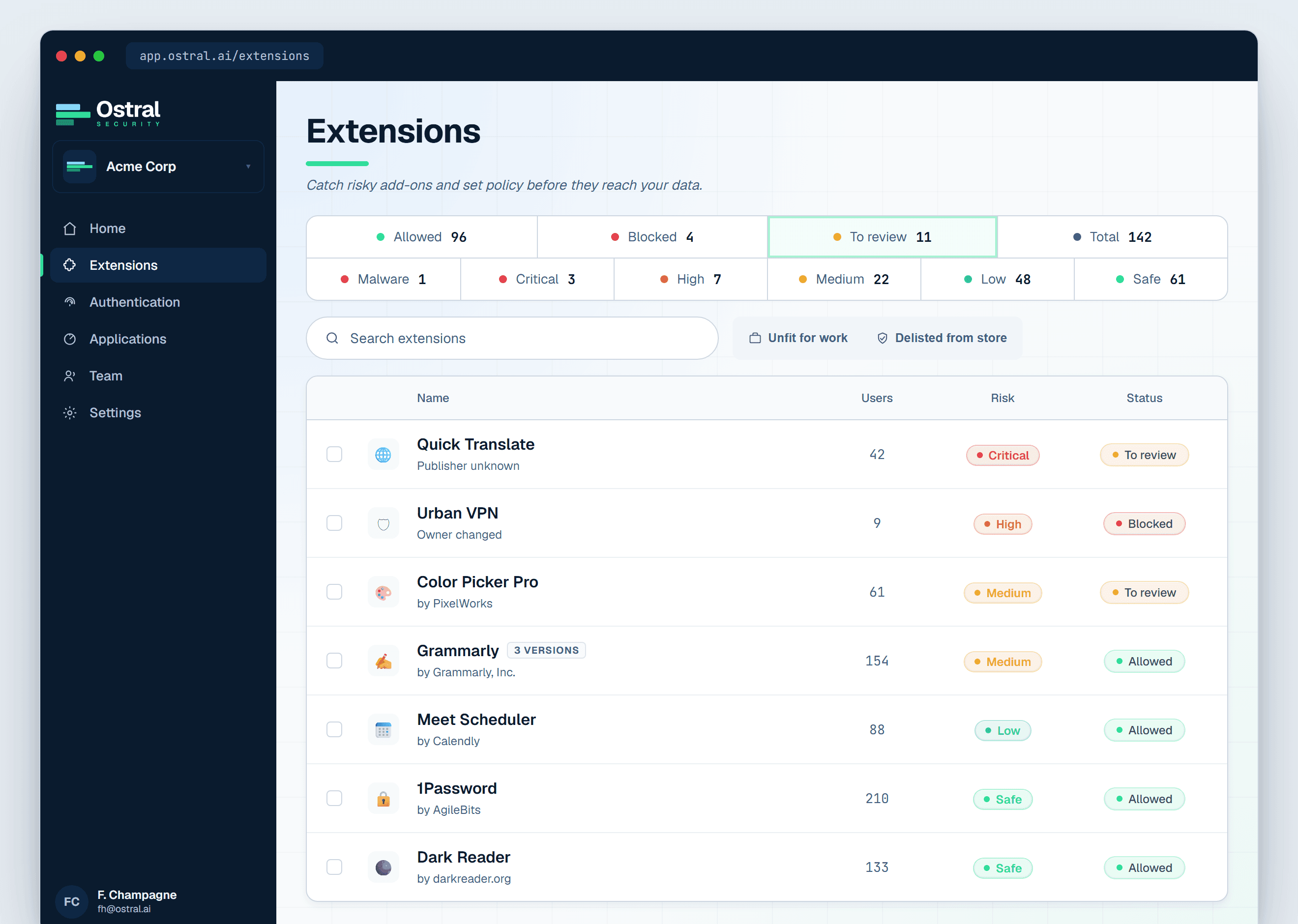
Ostral builds the inventory for you across every browser your teams use, and keeps it live: each new install, version, permission change, and ownership transfer is tracked continuously, with a risk score on every extension. The audit never goes stale.


